The patient portal
The portal is where patients book and manage their visits, prepare for them, follow their treatment and exercises, see their bills and documents, and see who opened their record. This page is written for patients, and for the desk explaining the portal to them.
On a phone, the five most-used pages are in the tab bar at the bottom: Home, Appointments, Book, Treatment and Profile. The rest are in the menu.
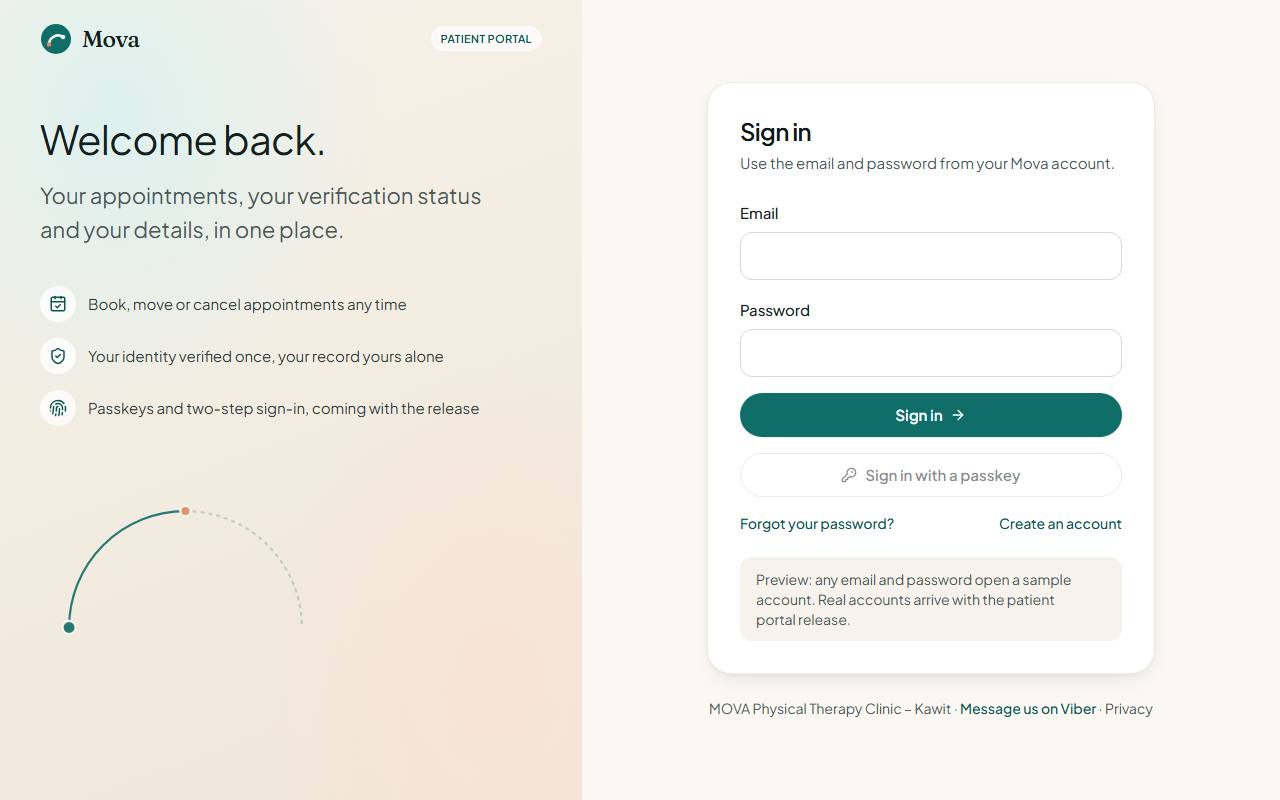
Signing up and signing in
- Sign up at
portal.clinic-dev.sentianx.com/portal/sign-up: email, mobile, a password, and agreeing to the terms and the privacy notice. - Sign in with the same email and password.
Verifying your identity
Before you can book freely, the clinic verifies who you are, once, so your record is yours alone.
- Verification in the menu. Online, the clinic accepts the PhilSys National ID only.
- Take front and back photos of the card: good light, the whole card in frame, no glare. The page checks the quality before you send it.
- A person at the clinic reviews it, usually within one business day, and you are told the outcome by SMS and email.
- If something needs fixing, the page says what. No PhilSys ID? Verify in person at the clinic with any government ID.
While you wait, you can hold one booking; it is confirmed once you are verified.
Your home page
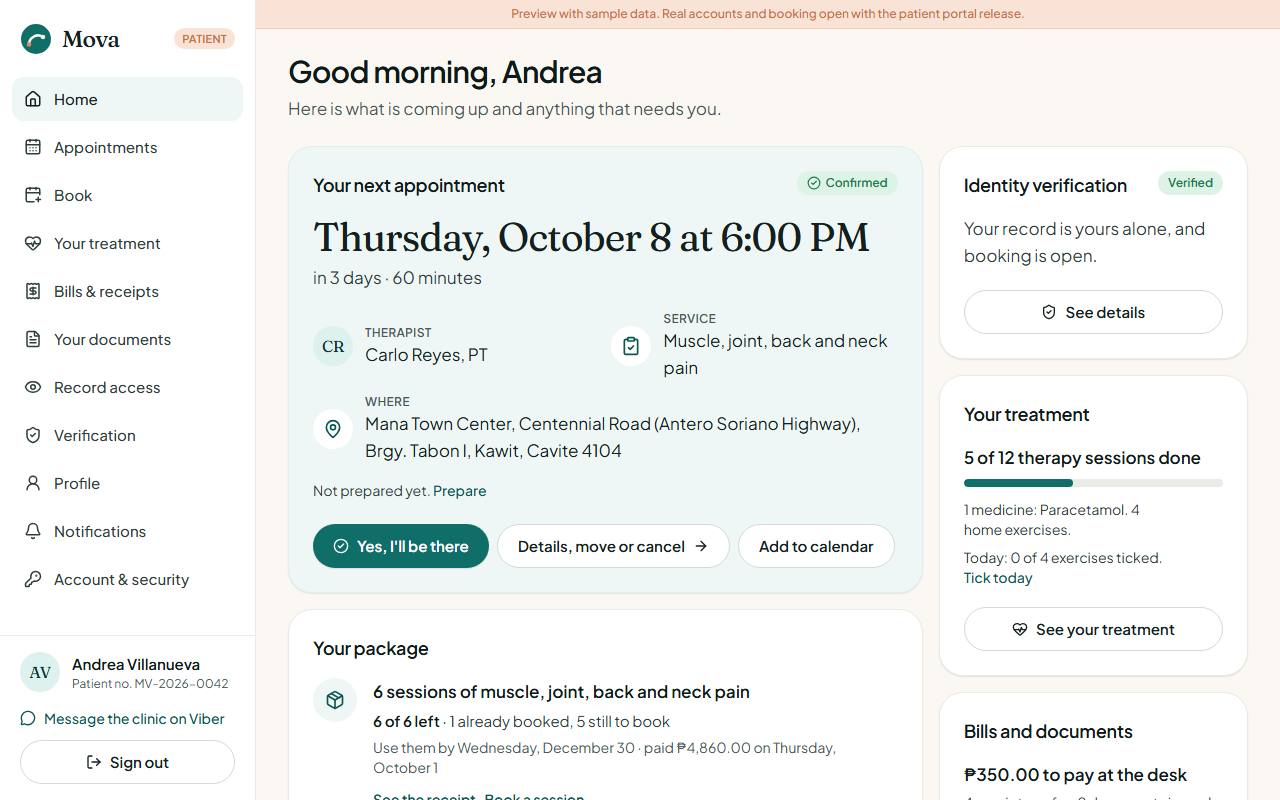
- Your next appointment: when, with whom, the service and where. Prepare opens Before your visit. Yes, I'll be there tells the clinic you are coming. Details, move or cancel opens the visit.
- Your package, if you bought one: sessions left, how many are already booked, until when to use them.
- How was your care?, when a course of care has ended and you have not answered yet.
- Identity verification, Your treatment, and Bills and documents at a glance.
- Recent updates: reminders, confirmations and messages from the clinic.
Booking a visit
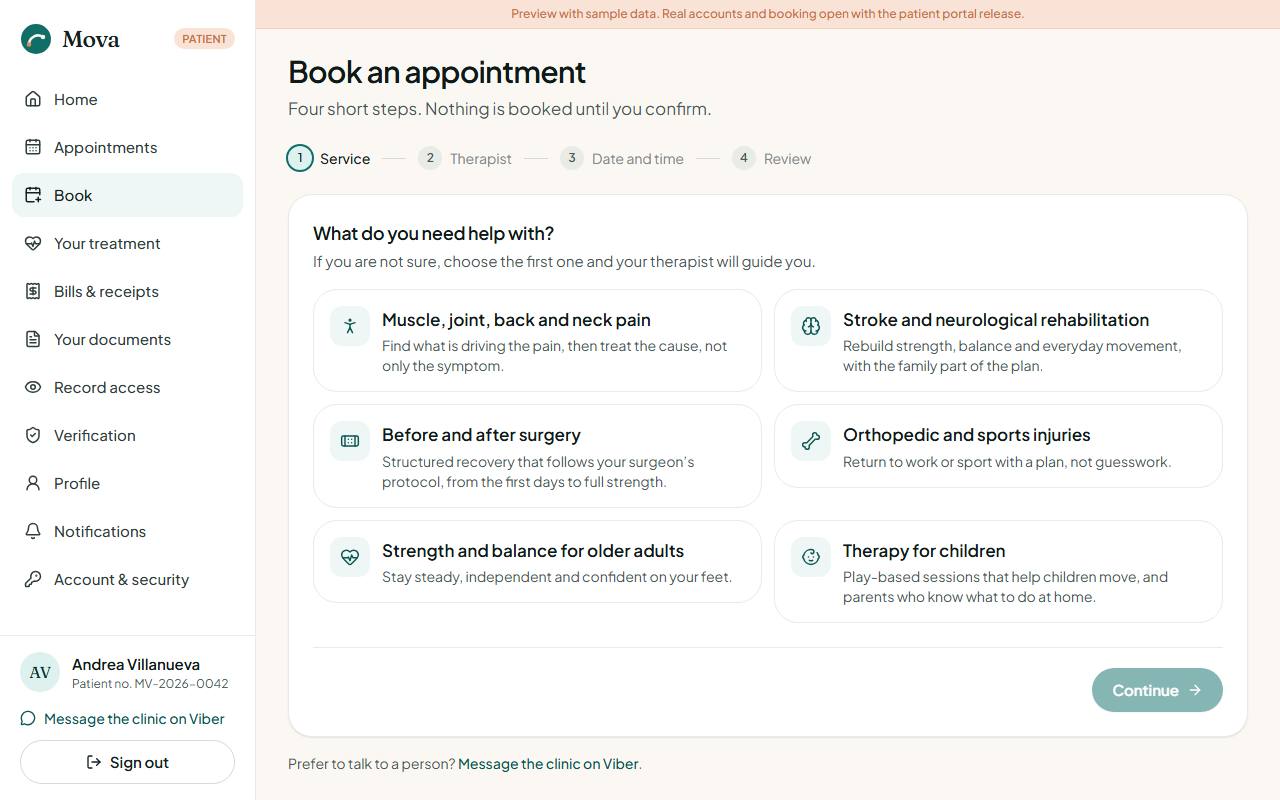
Book. Four steps:
- The service.
- The therapist, or "any" for the first one free.
- The date and time. Times are at least an hour ahead, within the clinic's hours.
- Review and confirm. The review shows the cancellation policy and, if your package covers the service, that there is nothing to pay at the desk.
If someone books the same time a moment before you, the page offers the nearest free times.
Your appointments
Appointments: upcoming visits and your history. Open one for its details.
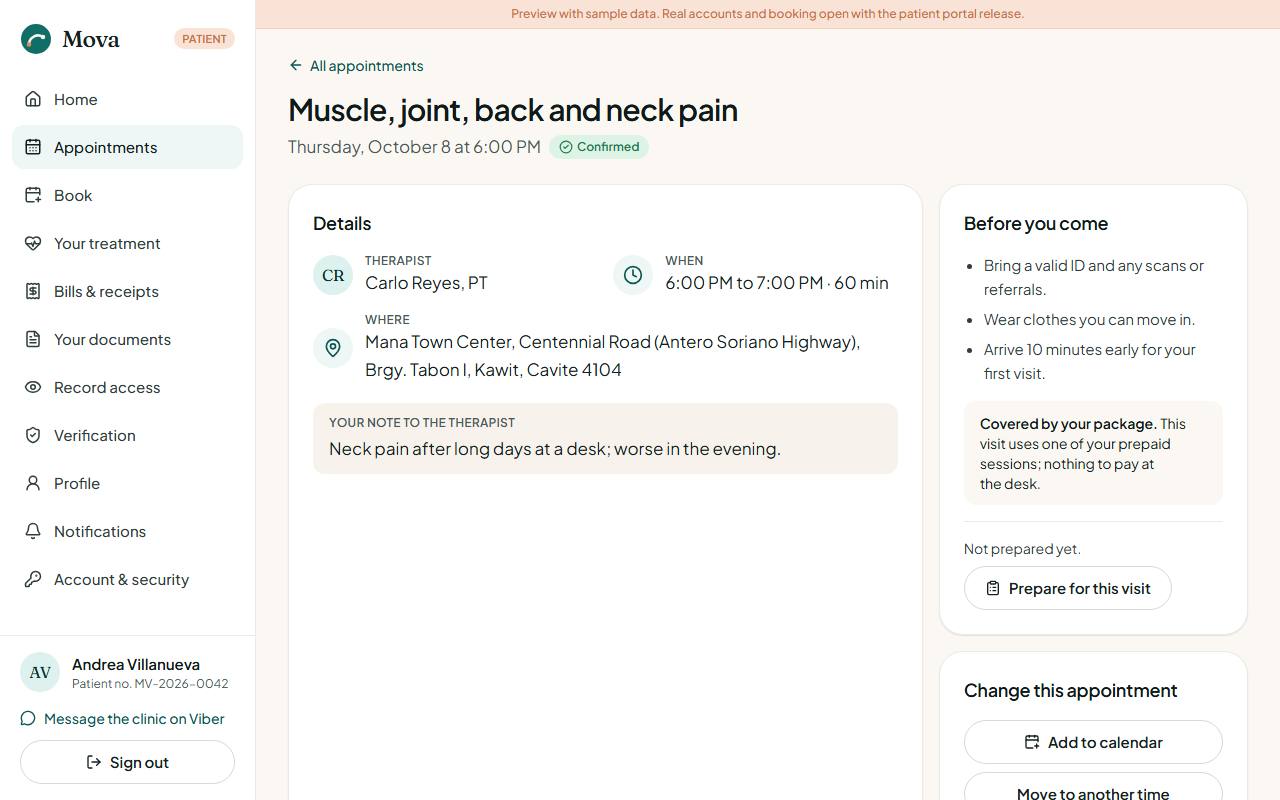
- Add to calendar puts it in your phone's calendar.
- Move to another time and Cancel are free up to 24 hours before the visit. The page says until when.
- Within 24 hours, the clinic moves visits for you: the page shows Call to move it with the clinic's number. Cancelling then counts as a session: it uses one session of your package if it covers the service, or a bill at the session price.
- Covered by your package shows on visits your package pays for.
Before your visit
From your next appointment, Prepare. A short sheet for each visit, so your therapist knows what changed.
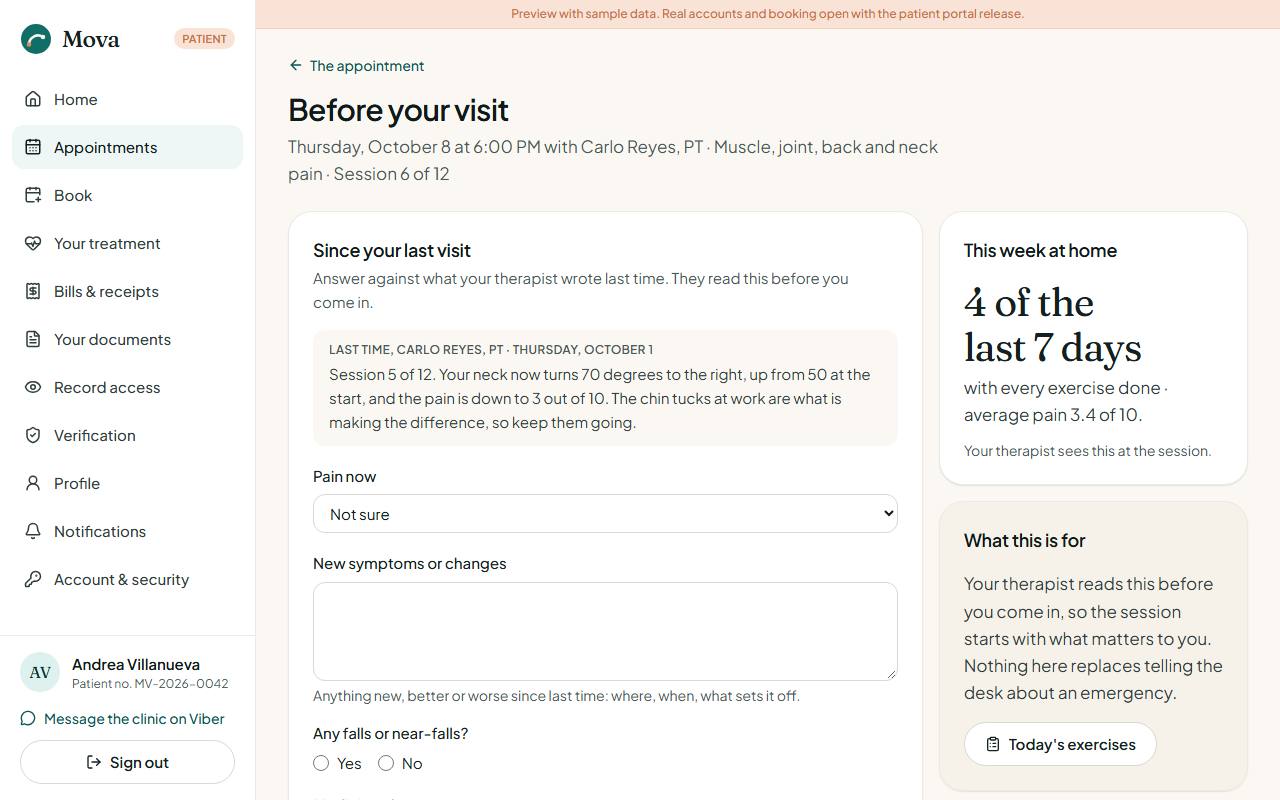
- Since your last visit: your pain now (0 to 10), any new symptoms, falls or near-falls, changes to your medicines, and whether you feel unwell. These are the same questions the nurse asks before your session.
- Your questions for the therapist: add as many as you like. Tick one once it is answered. Unanswered questions follow you to your next visit.
- This week at home: how many days you did all your exercises, and your average pain.
If you tick a fall or feeling unwell, the page asks you to tell the clinic before you come and to stop the exercises until a clinician has spoken to you.
Your treatment
Your treatment: what your clinicians prescribed, what to do at home, and how you are doing. Only signed notes and issued prescriptions appear here.
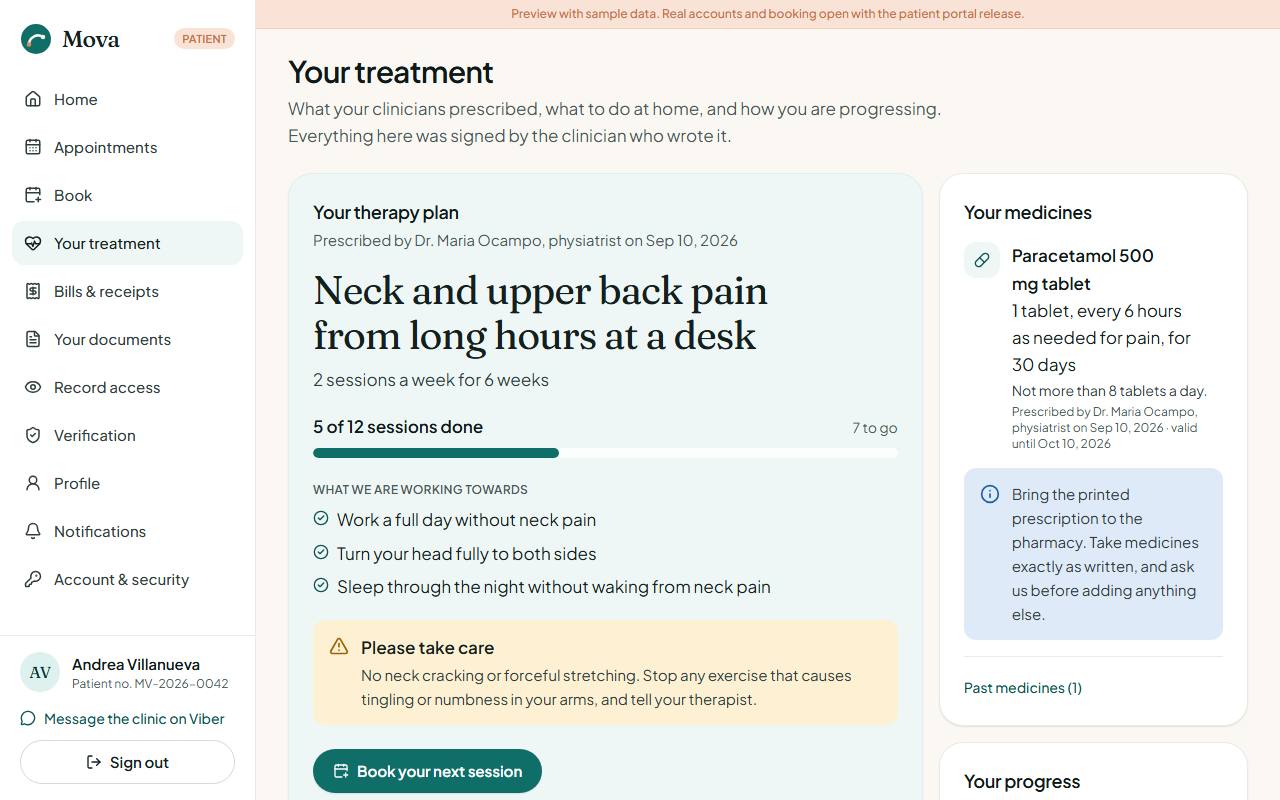
- Your therapy plan: the condition, sessions a week for how many weeks, how many are done, your goals, and precautions to take care with.
- Today's exercises: tick each exercise you did today, rate your pain, add a note for your therapist, and Save today. The last seven days show as a row of markers, with your streak of full days. Your therapist sees this at your next session.
- Your home exercises: the list with doses and notes. Print this list prints it.
- From your visits: what your clinician wrote for you after each visit.
- Your medicines: what to take, how often, for how long, and who prescribed it. Past medicines show why they were stopped.
- Your progress: your measures over time, and whether they are better or worse.
- Earlier courses of care: courses that have ended, with your clinician's closing words.
How was your care?
When a course of care ends, the clinic asks how it went. From the home page card or from Earlier courses of care:
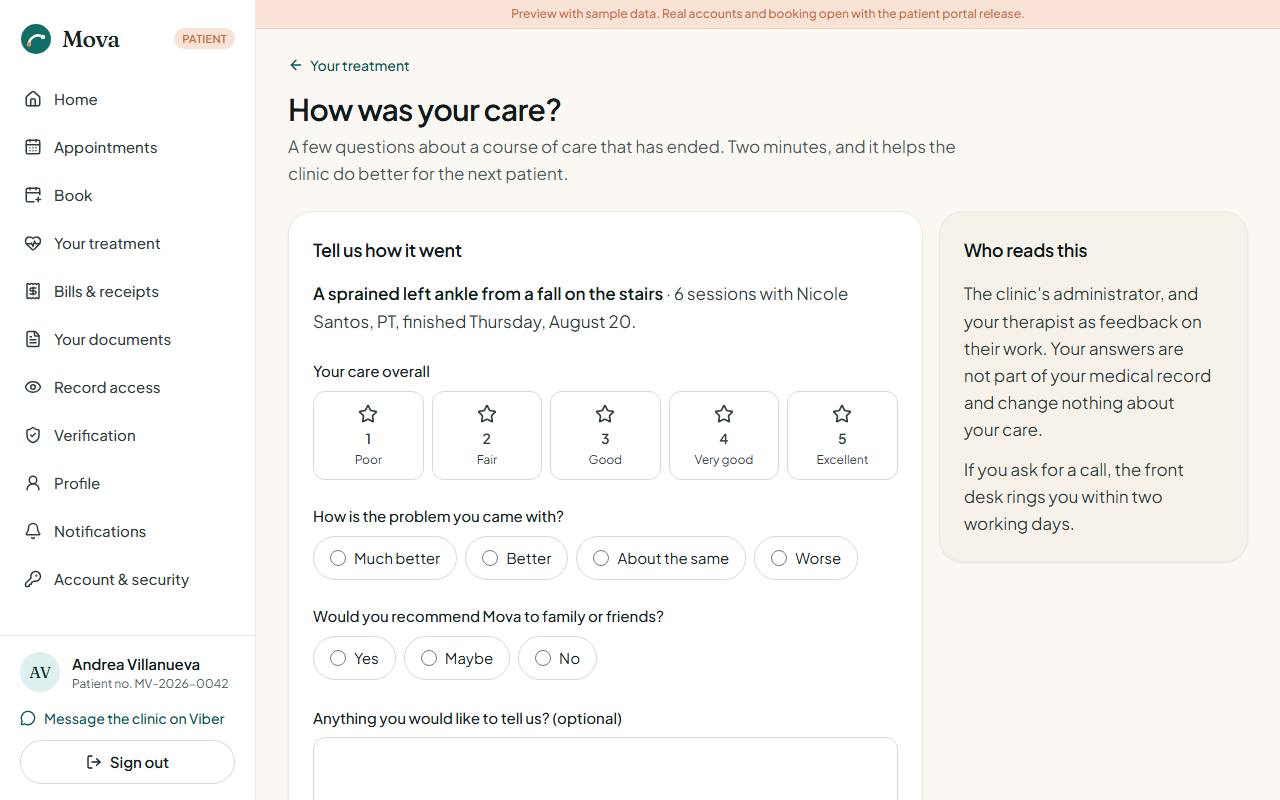
- Rate your care overall, from 1 (poor) to 5 (excellent).
- Say how the problem you came with is now.
- Say whether you would recommend Mova.
- Add anything you would like to tell the clinic, if you wish.
- Tick the box if you would like someone to call you about it.
- Send your answers. You can send them once.
Your answers go to the clinic's administrator and your therapist as feedback. They are not part of your medical record and change nothing about your care.
Bills and receipts
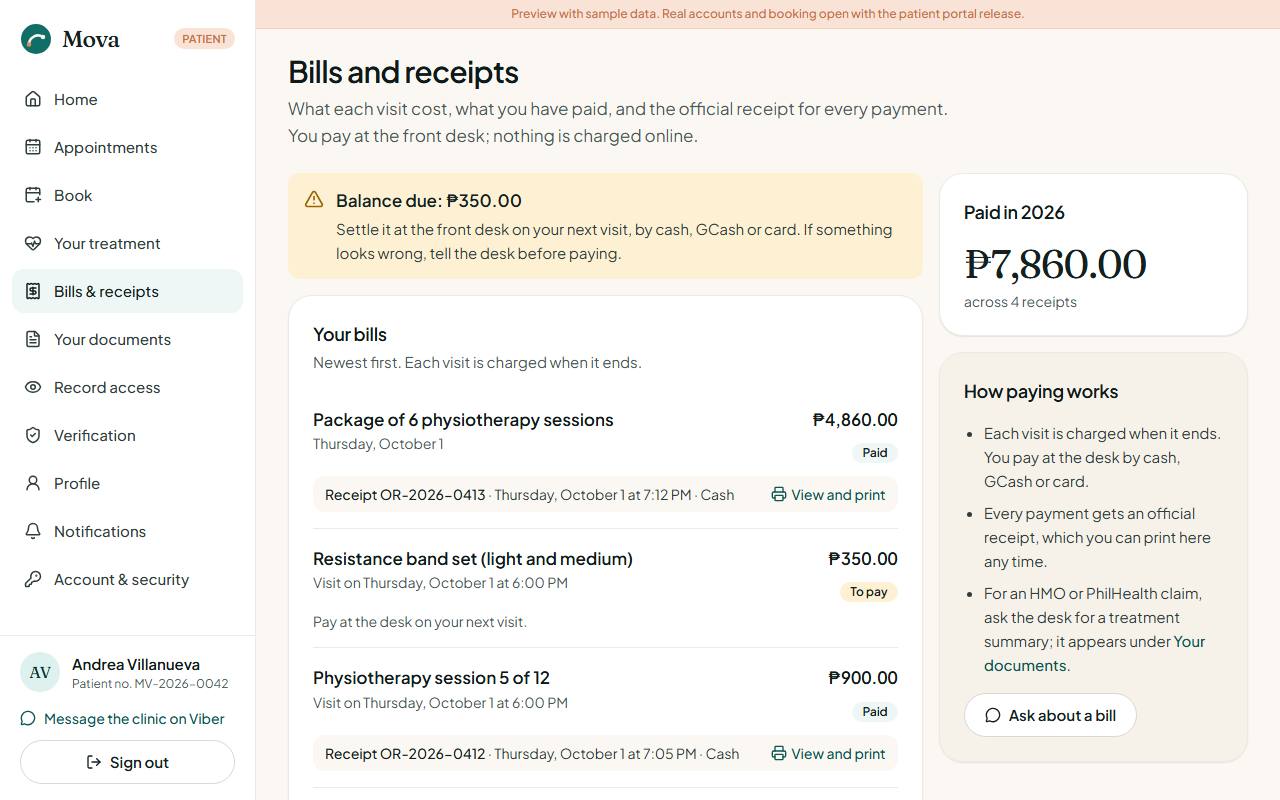
Bills & receipts: what each visit cost, what was paid and how, and anything still owed. Every payment has its official receipt, ready to print. Bills sent to your HMO say so and are not part of what you owe. Payments are made at the desk, by cash, GCash or card.
Your documents
Your documents: medical certificates, referral letters and treatment summaries the clinic released to you, with what each is for and a printable copy.
Who opened your record
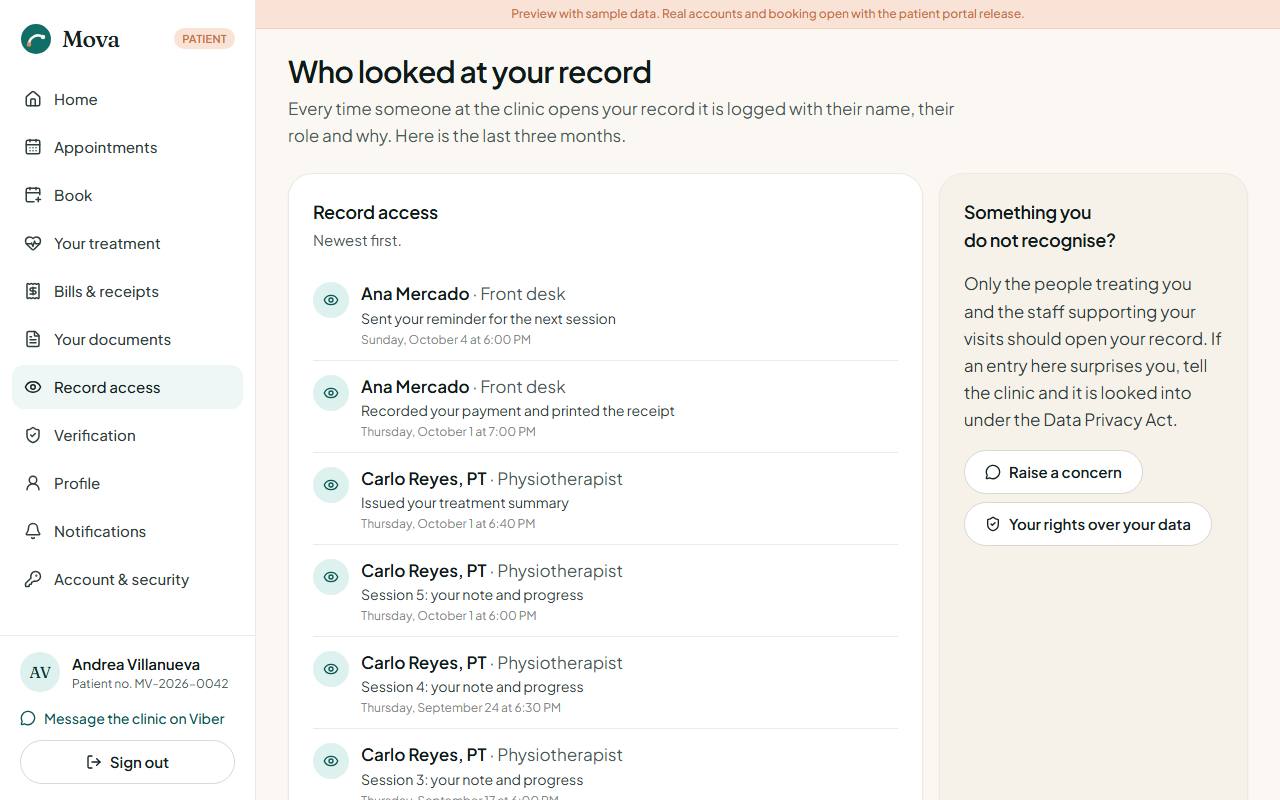
Record access: every time someone at the clinic opened your record in the last three months, with their name, their role and why. If something looks wrong, message the clinic: concerns are looked into under the Data Privacy Act.
Your profile and settings
- Profile: your contact details and emergency contact. Your name and date of birth cannot be changed here once you are verified; ask the desk.
- Notifications: updates from the clinic, and how you want appointment reminders: by SMS, by email, or both. Messages about your visits always go out; marketing messages are off unless you turn them on.
- Account & security: your password, your sessions, and requests for a copy of your data or a report of who accessed it.